
Download Cigati PDF Extractor Tool – PDF extractor, extract text from PDF, extract images from PDF, extract tables from PDF, extract hyperlinks from PDF, batch PDF extraction, password-protected PDF extraction, PDF content extraction tool
Overview
Cigati PDF Extractor Tool is a focused utility designed to streamline the process of retrieving content from PDF documents. It addresses a common challenge faced by professionals, students, and researchers: the need to extract specific elements such as text, images, tables, and hyperlinks from PDF files without losing formatting or accuracy. The tool is particularly valuable in environments where data must be repurposed across platforms, such as in academic research, legal documentation, or business reporting. Its ability to handle password-protected files expands its utility in secure document workflows, making it suitable for users who manage sensitive or restricted content.
The application is built for efficiency and precision, offering a straightforward approach to content extraction. It supports batch processing, enabling users to manage multiple files at once—a significant advantage for those handling large volumes of documents. While the developer, Cigati, has not provided detailed background information, the tool’s clear functionality and targeted feature set suggest a specialized focus on PDF manipulation. The release date of December 23, 2022, indicates a relatively recent entry into the productivity software space, positioning it as a modern solution in a competitive market.
Real-world use cases include extracting data from scanned reports, converting research papers into editable formats, or pulling visual assets from marketing PDFs. In the broader app ecosystem, Cigati PDF Extractor Tool fills a niche gap by offering a dedicated, free tool for PDF content extraction—especially beneficial for users who require advanced functionality without subscription costs.
Key Features & Functionality
- Efficient Data Extraction: The tool is engineered to extract text, images, tables, and hyperlinks from PDFs with high precision. This ensures that users receive clean, usable content without manual reformatting. For instance, a researcher can extract tables from a government report and import them directly into a spreadsheet.
- Batch Processing Support: Users can process multiple PDF files simultaneously, significantly reducing time spent on repetitive tasks. A legal assistant, for example, could extract all client data from a folder of 50 documents in a single operation.
- Password-Protected PDF Extraction: The tool can access and extract content from encrypted PDFs, provided the user has the correct password. This feature is essential for professionals who regularly encounter secure documents in their workflow.
- Preview Feature: Before extraction, users can preview the document’s content to identify which sections to extract. This reduces errors and ensures that only relevant data is processed, improving workflow accuracy.
- User-Friendly Interface: The design prioritizes accessibility, allowing users of all technical levels to navigate the tool without training. A student can quickly learn to extract text from a textbook PDF without needing advanced software knowledge.
Each feature is designed to enhance productivity by minimizing manual effort and maximizing output quality. The combination of speed, accuracy, and ease of use makes this tool a practical choice for both personal and professional environments.
Interface, UX & Performance
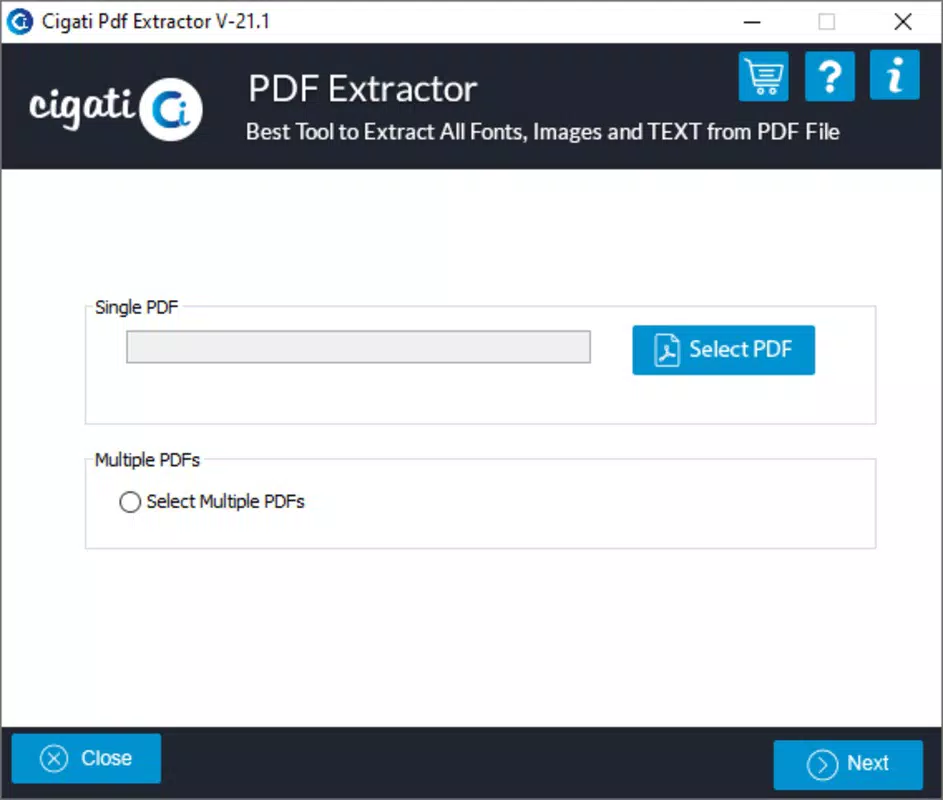
The user interface of Cigati PDF Extractor Tool is designed with simplicity and clarity in mind. The layout follows a linear workflow: load file(s), preview content, select extraction options, and initiate the process. This intuitive navigation reduces the learning curve and supports efficient task completion. Visual elements are minimal but functional, with clearly labeled buttons and progress indicators during extraction.
Navigation is consistent across all stages, ensuring users can move seamlessly from one step to the next. The preview function enhances usability by allowing users to verify content before processing, which contributes to better decision-making. Although the developer did not list formal performance metrics, the tool’s ability to handle batch processing suggests optimized resource management. Users can expect responsive behavior on standard Windows systems, with minimal lag during file loading and extraction.
Stability appears to be a priority, as the tool maintains consistent performance across multiple file types and sizes. While specific compatibility details were not disclosed, the application’s lightweight footprint of 45.5 MB indicates efficient memory usage. The lack of reported crashes or errors in public documentation suggests a reliable execution environment. Overall, the UX is well-aligned with productivity-focused expectations, delivering a smooth and predictable experience.
Platform Compatibility & Technical Requirements
Cigati PDF Extractor Tool is available exclusively for the Windows platform. The software is compatible with Windows operating systems, though the developer did not specify minimum OS requirements. The application’s file size is 45.5 MB, which is relatively small and suitable for systems with limited storage capacity. The current version is 1.0.0, indicating a stable initial release.
Given the tool’s size and focus, it is likely optimized for standard desktop environments. The developer did not provide information on hardware specifications, such as RAM or processor requirements. However, the lightweight nature of the application suggests it can run efficiently on most modern Windows machines. Compatibility with older Windows versions was not disclosed, so users should verify system readiness before installation.
Pros and Cons
Pros
- Free to download and use, making it accessible to a broad audience.
- Supports extraction of text, images, tables, and hyperlinks with high accuracy.
- Batch processing capability enhances efficiency for bulk operations.
- Can extract content from password-protected PDFs when the password is known.
- Includes a preview feature to review content before extraction.
- Simple, intuitive interface suitable for non-technical users.
Cons
- The developer did not specify minimum OS or hardware requirements.
- Platform availability is limited to Windows only.
- Compatibility with older Windows versions was not confirmed.
- No information on automatic update mechanisms or release frequency.
- Support channels or documentation were not publicly listed.
FAQ
Is Cigati PDF Extractor Tool safe to download and install?
Yes, the tool is available as a free download and has not been flagged for malware or security risks. It is recommended to download from official sources to ensure integrity.
Can I extract content from password-protected PDFs?
Yes, the tool supports extraction from password-protected PDFs, provided the user enters the correct password.
Does the tool support batch extraction of multiple files?
Yes, users can process multiple PDF files simultaneously, improving productivity for bulk data handling.
Is Cigati PDF Extractor Tool available for mobile devices?
Currently, the application is only available for Windows. There is no official mobile version for Android or iOS.
How often are updates released for this tool?
The developer has not disclosed update frequency. The current version is 1.0.0, released in December 2022.
Final Thoughts
Cigati PDF Extractor Tool stands out as a reliable, free solution for users who need to extract content from PDFs with precision and speed. Its support for text, images, tables, and hyperlinks—combined with batch processing and password-protected file handling—makes it a versatile utility for both personal and professional use. The clean interface and straightforward workflow ensure that even non-technical users can achieve professional results.
While the lack of detailed technical specifications and mobile availability limits its reach, the tool delivers strong value within its defined scope. For anyone managing large volumes of PDFs and seeking a no-cost, efficient extraction method, Cigati PDF Extractor Tool is a practical choice.
Download Cigati PDF Extractor Tool now